Begin Your Easy Car-Buying Journey Online!
Welcome to a new era of car buying with Ed Carroll Volkswagen! We're excited to introduce our Digital Retailing tool, a game-changer in how you find and buy your dream Volkswagen. From the comfort of your home or office, embark on a convenient, and completely online car-buying adventure.

Step into the Future of Car Buying - It's All About You!
Our Digital Retailing tool is designed with you in mind. Here’s how it brings the dealership experience to your fingertips:
STEP 1
Find Your Perfect VW
Browse our website to find your ideal Volksagen
From sporty sedans to spacious SUVs, we have it all.
STEP 2
Customize Your Payment
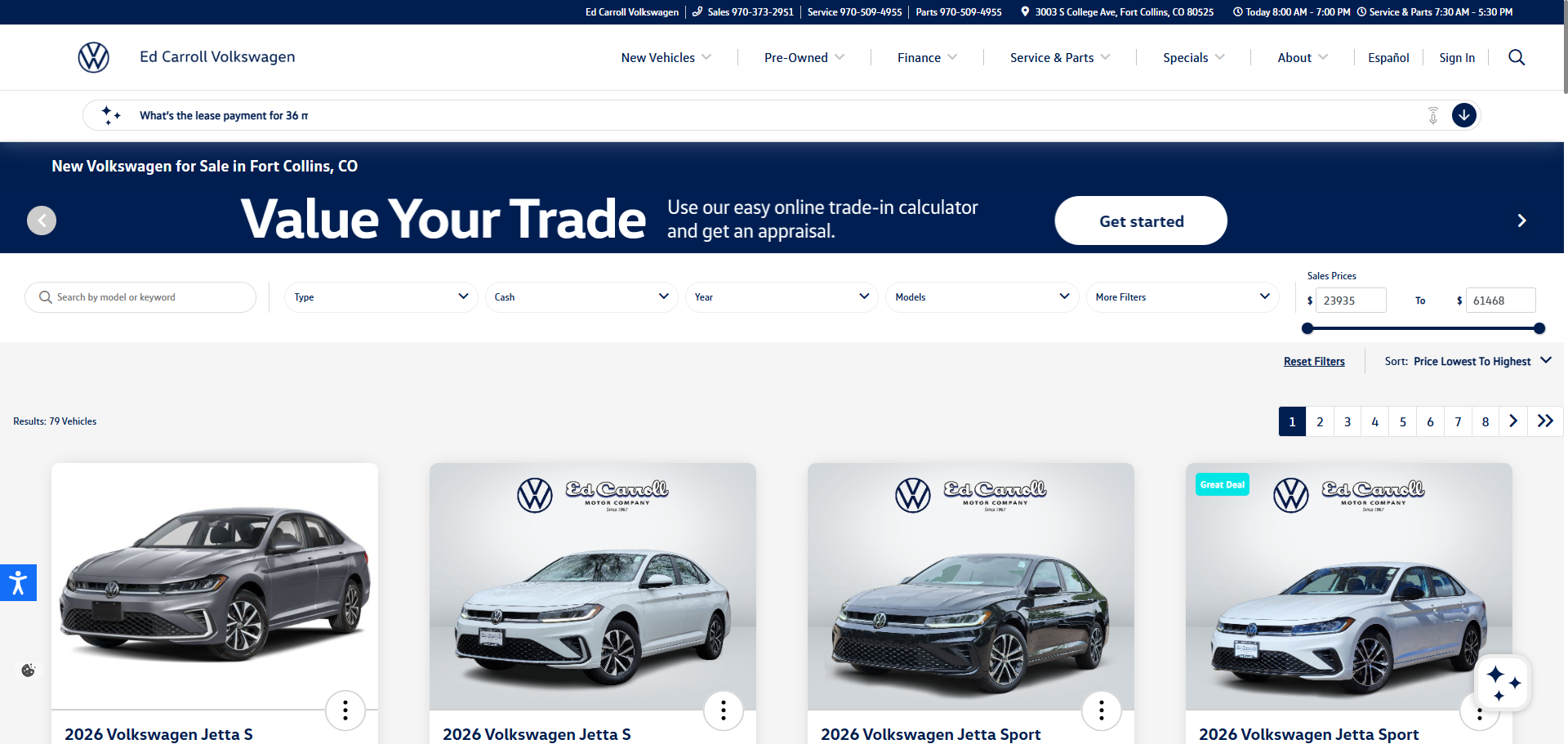
Click on "Build My Deal" to start crafting a deal that suits your needs. This interactive feature lets you adjust terms, explore financing, leasing, or cash options, and even incorporate a trade-in.
STEP 3
Personalize Your Plan
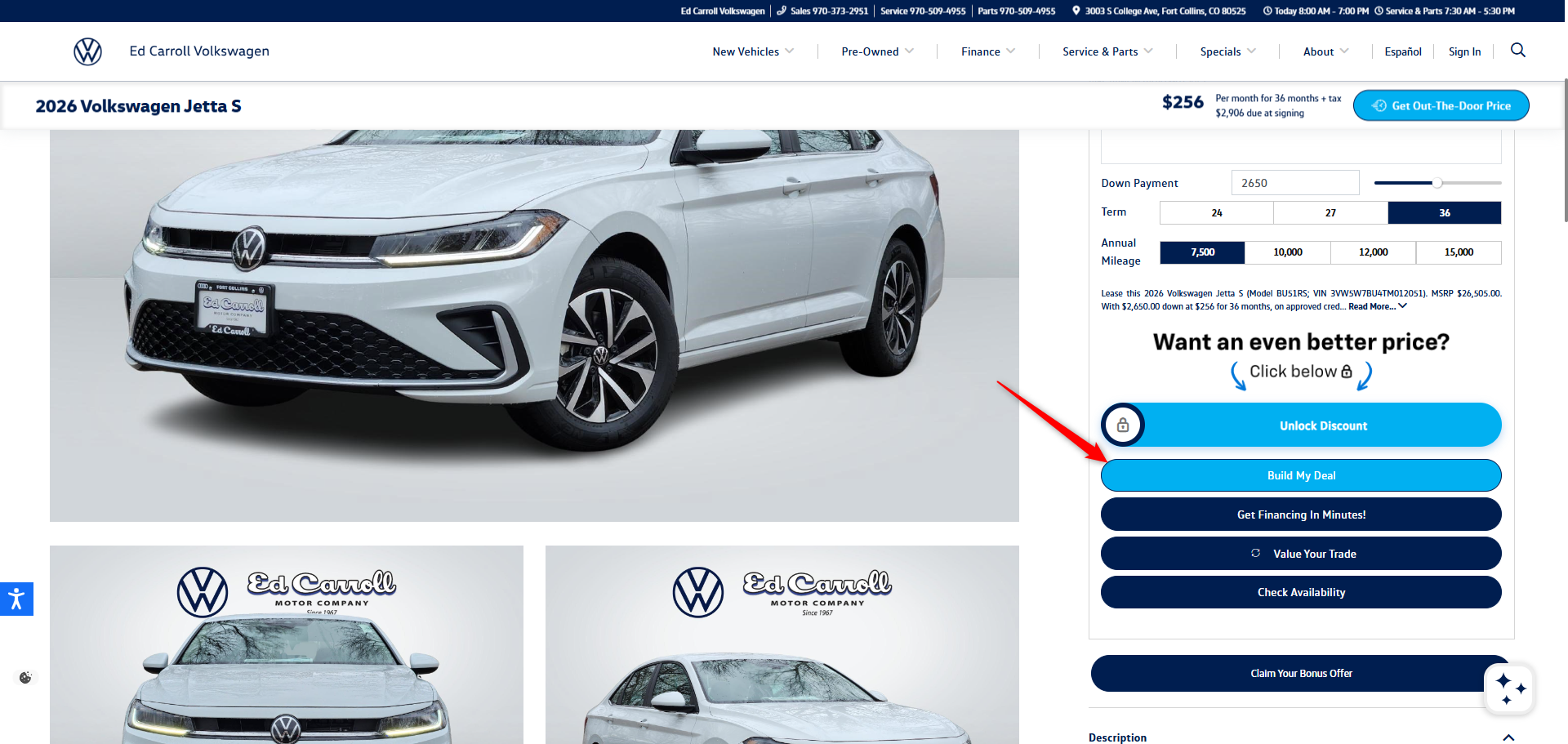
Choose between Lease, Finance, and Cash options. We give you the flexibility and control you deserve.
Tip: Clicking on Finance or Lease will open up additional sliders where you can adjust your Down Payment and preferred Loan/Lease Term (e.g., 72 Months) to perfectly fit your monthly budget.
STEP 4
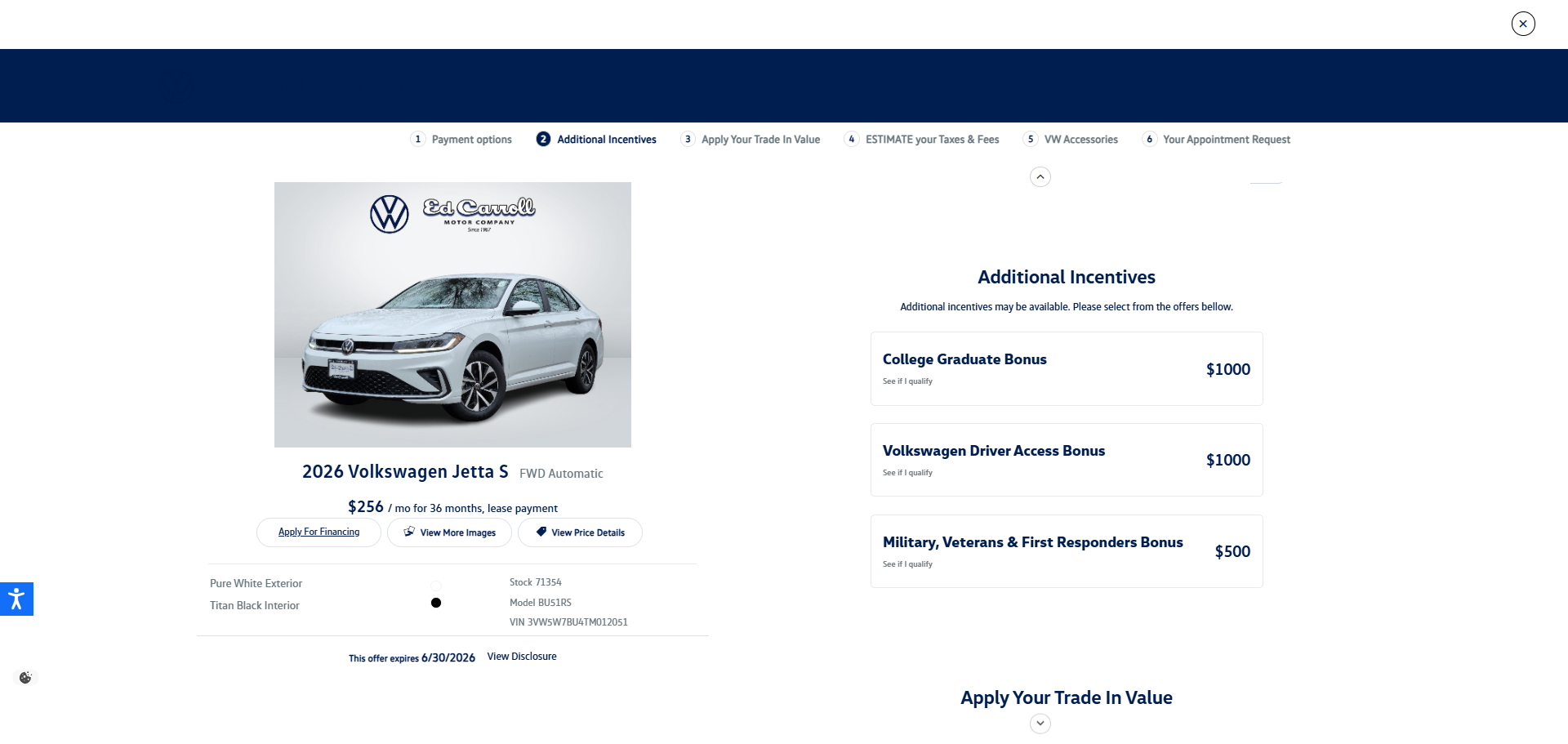
Review Additional Incentives
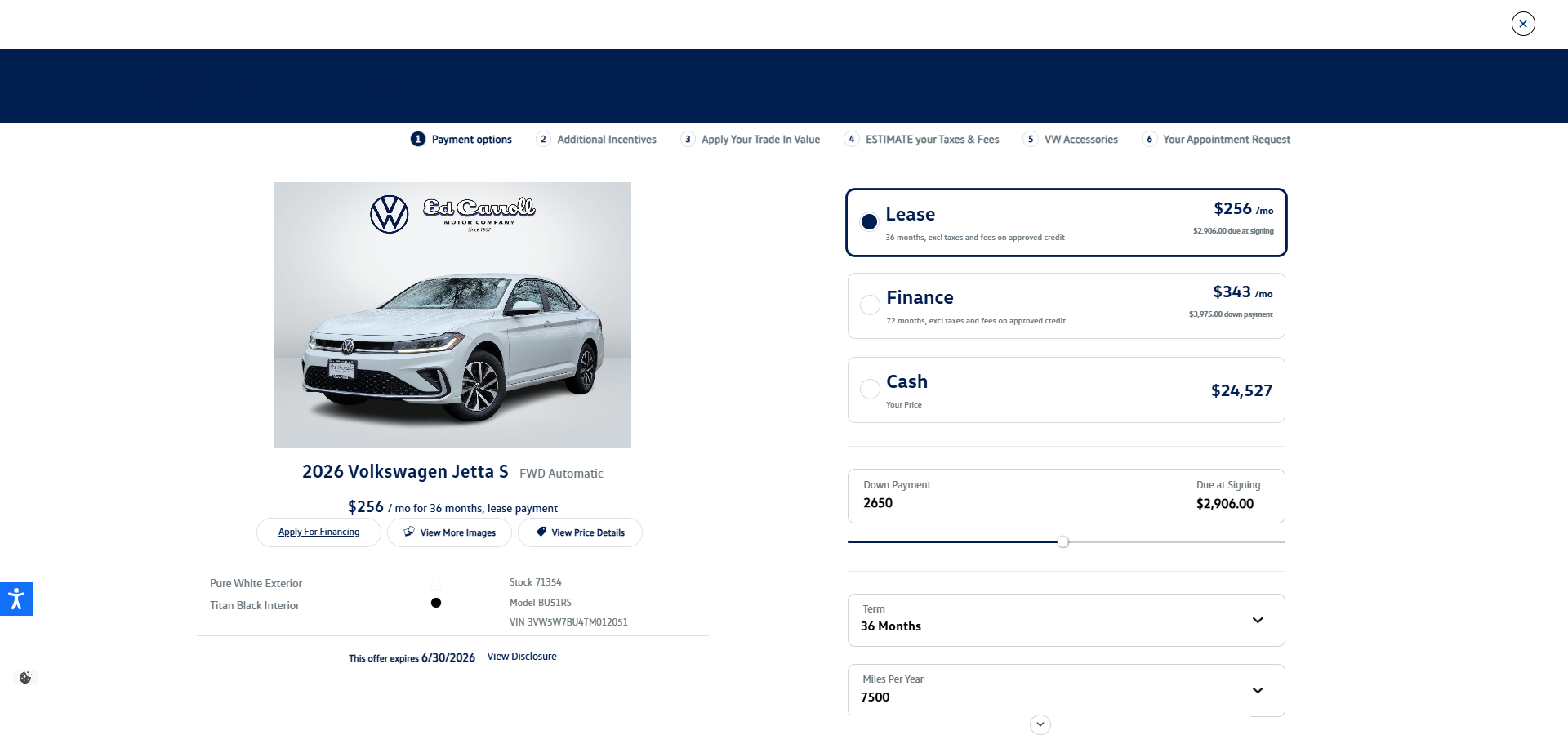
Scroll down to the Additional Incentives section to see if you qualify for any special cash bonuses.
- Check if you qualify for offers such as the College Graduate Bonus, Volkswagen Driver Access Bonus, or Military, Veterans & First Responders Bonus.
- Select any that apply to you to instantly lower your total cost.
STEP 5
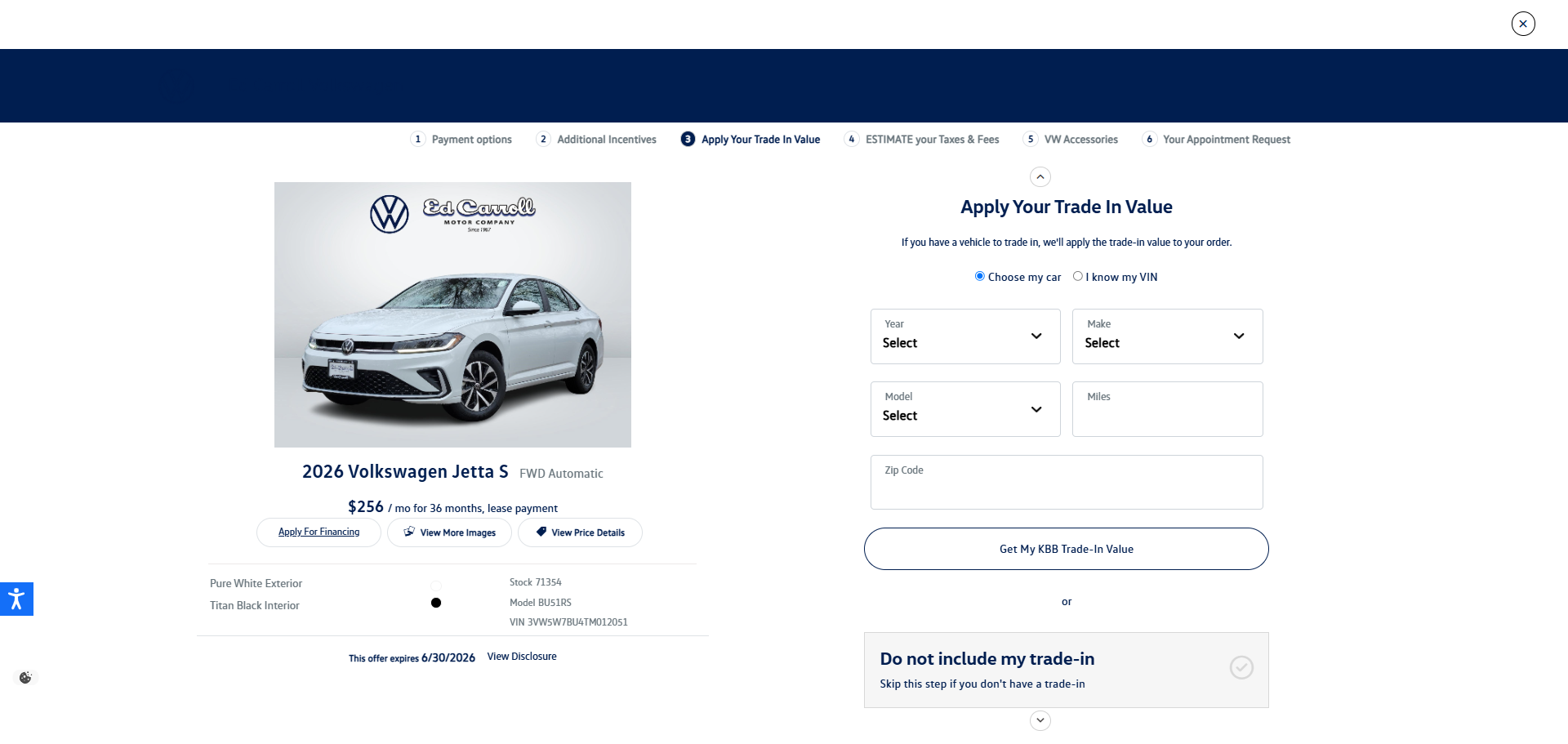
Apply Your Trade-In Value (Optional)
If you have a vehicle you would like to trade in, you can calculate its value right here.
- Select whether you want to look up your vehicle by Year/Make/Model or by entering your VIN.
- If you do not have a trade-in, simply click the box that says "Do not include my trade-in" to seamlessly skip this step.
STEP 6
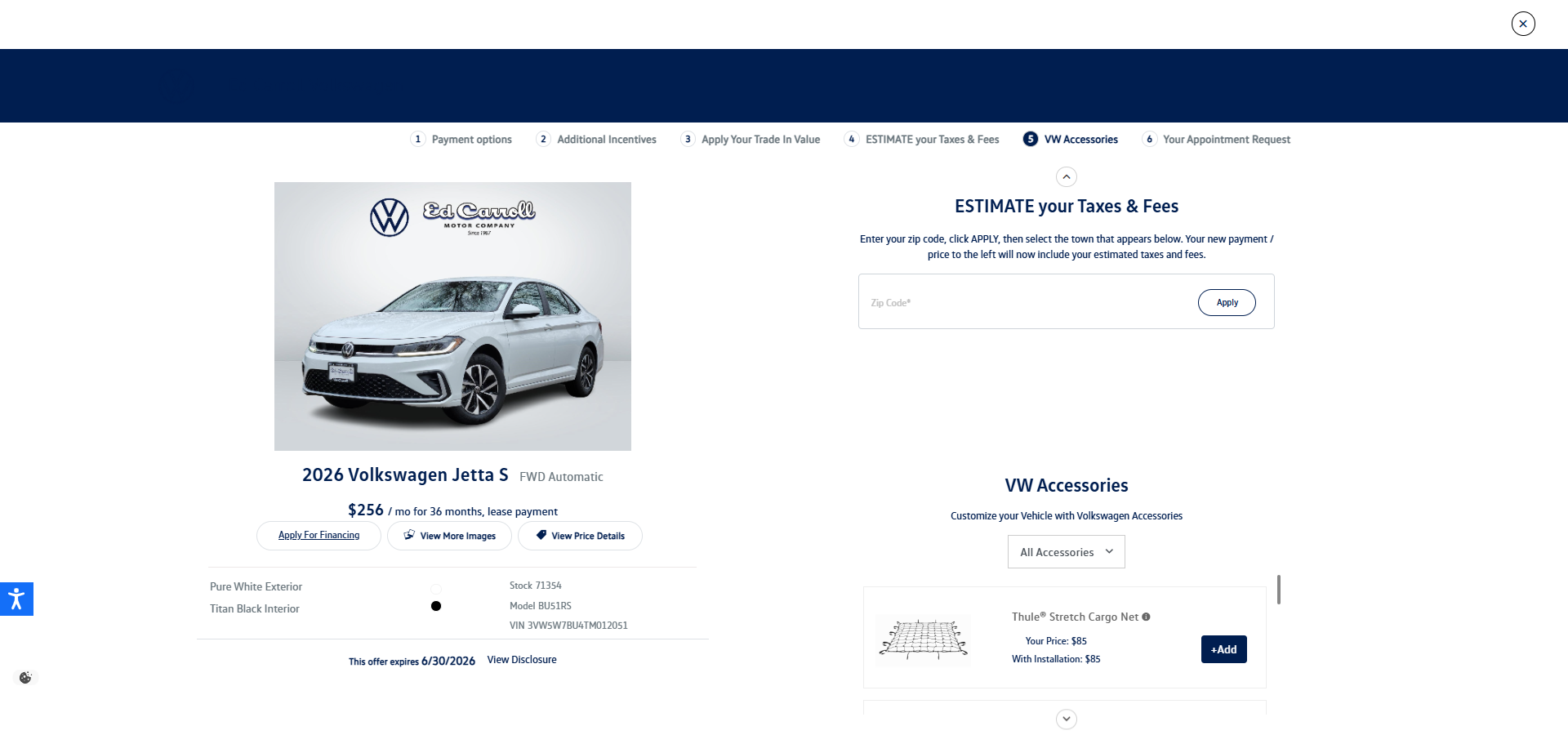
Estimate Your Taxes & Fees & Add Accessories
To ensure your final monthly payment estimate is as accurate as possible, you can input your location and customize your vehicle features.
- Estimate Your Taxes & Fees: Enter your local Zip Code and click Apply. The tool will automatically calculate your local tax rates and registration fees.
- VW Accessories: Make the vehicle truly yours by scrolling through available gear like cargo nets or roof racks. Click + Add on any item you want to integrate its cost directly into your overall deal.
STEP 7
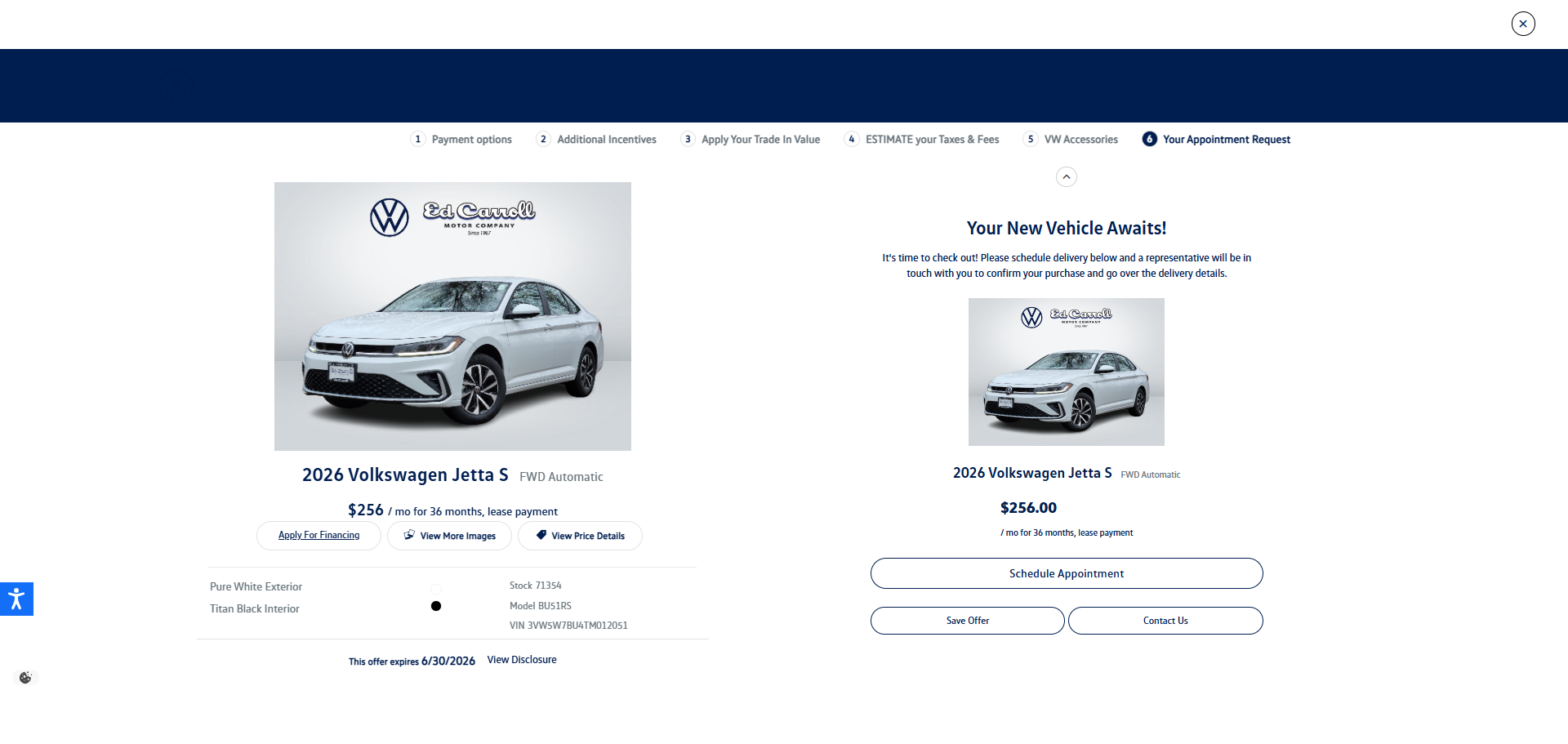
Finalize Your Offer and Schedule an Appointment
Once you are happy with your customized monthly payment and pricing layout on the left side of the screen, scroll to the bottom to finalize your deal.
- Apply for Financing: Click the button directly under the vehicle image to start a secure credit application.
- Schedule Appointment: Click this button to lock in your deal and choose a time to visit the dealership to finalize your paperwork and take delivery of your new vehicle!
- Save Offer / Contact Us: Use these options to save your progress or send a question directly to a representative.